Update 1 walkthrough
My Dino Park! Update 1 — first session on Roblox
Full first-session run covering code redemption, Store purchases, egg hatching, and early park growth in My Dino Park on Roblox.
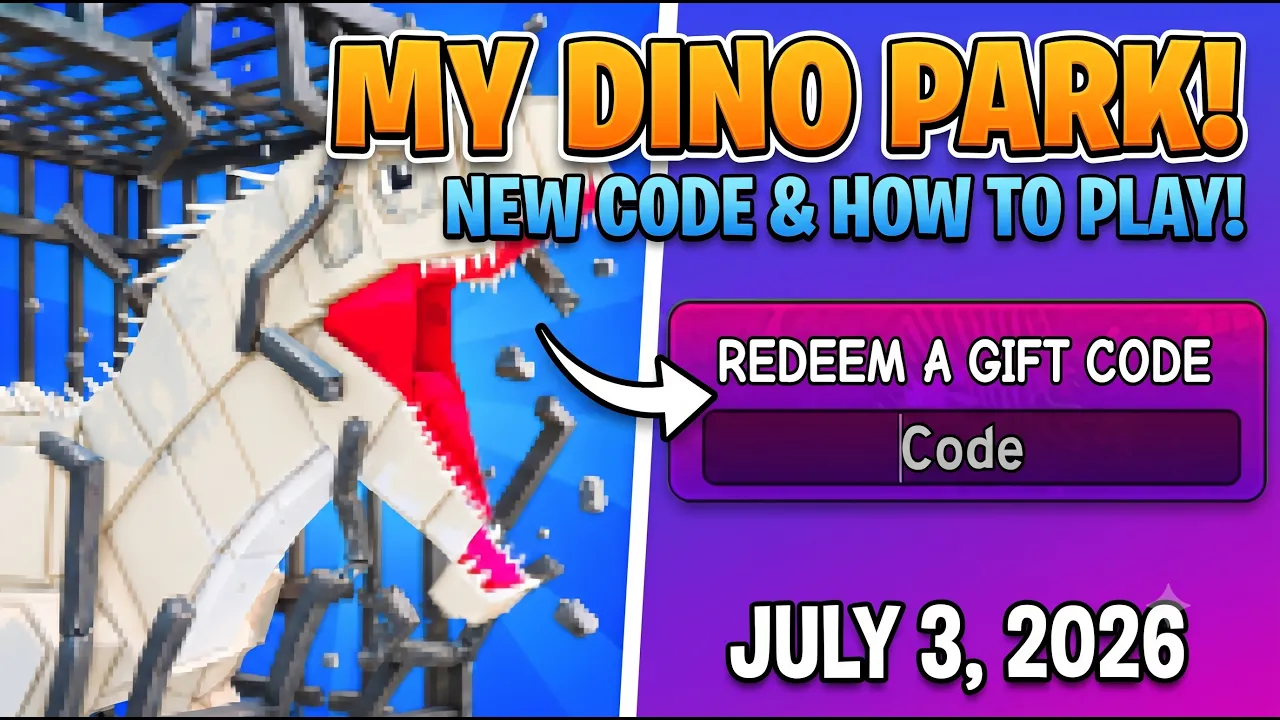
Update 1 walkthrough
Full first-session run covering code redemption, Store purchases, egg hatching, and early park growth in My Dino Park on Roblox.
My Dino Park! is a Roblox simulation tycoon developed by Dino Community. The official game page describes the loop in six beats: Build Your Dino Park · Buy Dino Eggs · Hatch Dinosaurs · Attract Visitors · Upgrade Your Park · Be the #1 Dino Park! That short list is the entire beginner roadmap — everything in this My Dino Park guide maps back to those verbs.
My Dino Park Roblox launched with Update 1, which added new dinosaurs and park features. The Roblox page currently teases Update 2 SOON! as of July 2026. This walkthrough covers the first hour on My Dino Park Roblox only — not the separate Crazy Dino Park mobile app, not Be Dino, and not other dinosaur clone experiences that appear in search results beside the real Dino Community place.
You play through the Roblox client on PC, mobile, or console. Each server holds up to six players, but progression is your personal park — Cash, eggs, and hatched dinosaurs stay on your save. Favorite the official experience so you rejoin the same park quickly after updates.
There is no official Fandom wiki or Trello board yet. Community tips flow through the Dino Community Discord and fan sites like this one. We track verified Roblox mechanics here while individual dinosaur income tables are confirmed in-game after Update 1.
| Tier | System | Role | Beginner priority |
|---|---|---|---|
| S | Dino Eggs | Buy eggs from the Store, then hatch them into dinosaurs for your park. | Do first |
| S | Hatching | Place purchased eggs and wait for them to hatch into display dinosaurs. | Do first |
| A | Visitors | Attract visitors to earn Cash — a core goal on the official game page. | After eggs |
| A | Park Upgrades | Spend Cash to upgrade pens, paths, and park size as you progress. | After eggs |
Before you touch egg prices, redeem the two active My Dino Park codes on our codes page. Verified launch strings grant $1,650 total starter Cash — enough to skip the empty-wallet grind that slows many new Roblox tycoon saves.
Open the left-side Store, scroll to Redeem a gift code, paste WELCOME for $1,000 Cash, press Enter, then repeat with THX4PLAYING for $650. Both work once per Roblox account on the Dino Community experience.
Code Cash is the fastest legal boost in early My Dino Park!. Treat it as seed money for eggs and pens, not decorative paths. The tier list ranks code redemption and first eggs as S-tier spending on every new save.
| Tier | Code | Reward | Status |
|---|---|---|---|
| S | WELCOME | $1,000 Cash | Active |
| A | THX4PLAYING | $650 Cash | Active |
With starter Cash in hand, return to the Store menu and browse dino eggs. My Dino Park! randomizes which dinosaur hatches from each egg tier — you buy the egg first, place it in an open pen, then wait for the hatch animation.
Pick the most affordable egg that still fits your budget after codes. Update 1 shop prices shift with patches, so read the price tag every session instead of memorizing numbers from outdated posts. The goal on day one is any active hatch, not the rarest species chart-topper.
After purchase, place the egg inside a pen slot in your park layout. Empty pens cannot generate visitor interest — filled pens with visible dinosaurs are what pull foot traffic and Cash income over time.
If the Store offers multiple egg tiers, buy sequentially: hatch one, let visitor income tick up, then reinvest into the next affordable tier. Rushing premium eggs before pens fill often drains Cash without a matching income bump.
Matched by build plan, shared topics, and guide progression — not random related links.
Fast Cash — visitor loops, offline earnings, selling dinos, and reinvest order.
After your first hatch, visitor income is the fastest Cash loop to scale
All My Dino Park walkthroughs — beginner and money guides.
Free Cash from codes funds the same first-egg checklist as the beginner guide
Hatching is the heart of My Dino Park on Roblox. Once an egg sits in a pen, a timer runs until a dinosaur appears. Hatched creatures stay on display — they are not inventory cards you stash off-screen. Visitors walk past active pens and spend Cash that feeds your upgrade budget.
Keep every pen occupied when possible. An empty pen is idle real estate; a hatched dinosaur is a passive income node. If pens cap out, you can sell lower-value dinosaurs to free slots for better hatch results — sell only when you need space, not on every common pull.
Dinosaur rarity labels exist in Update 1, but public income spreadsheets are still incomplete. Until the wiki dinosaurs table lists verified numbers, judge value by how much Cash each hatched dino adds per minute in your own park HUD rather than third-party mobile-game charts.
After your first hatch completes, watch visitor count and Cash tick upward. That feedback loop confirms you are playing the real My Dino Park! tycoon loop — attract visitors, earn Cash, reinvest. If income stays flat, check that dinosaurs are placed in visible pens near visitor paths, not hidden behind unfinished terrain.
Attract Visitors is literal in My Dino Park! — the Roblox tagline lists it alongside hatching and upgrades because foot traffic converts into Cash. More displayed dinosaurs in working pens generally means more visitors and faster income, though exact formulas are still being verified post–Update 1.
Early sessions should prioritize income density over park beauty. A small layout with three hatched dinosaurs beats a sprawling empty zoo with decorative paths and no active pens. Expand land only when existing pens are full and Cash flow supports the next egg tier.
When visitor earnings arrive, resist spending on cosmetic items until the money guide reinvest checklist is satisfied: codes redeemed, two-plus eggs hatched, at least one pen or expansion upgrade considered. Decorations are B-tier on the spending tier list.
My Dino Park Roblox also supports offline earnings — Cash accumulates while you are away and can be collected when you return to Roblox. Log out after pens are full so idle time works for you, then collect and buy the next egg on your next session.
| Priority | Action | Why |
|---|---|---|
| S | Redeem both codes | $1,650 starter Cash |
| S | Hatch affordable eggs | Active dinosaurs attract visitors |
| A | Expand pens / park | More slots = more income |
| B | Decorative paths | Cosmetic — buy after income is stable |
Upgrade Your Park is the mid-game half of the My Dino Park beginner guide. Store listings include pen expansions, park size upgrades, and facility improvements that raise how many dinosaurs you can display at once.
Buy upgrades that increase capacity or income before items that only change appearance. A new pen slot lets you hatch another egg immediately; a themed fence may look better but does not add a dinosaur income node.
Update 1 introduced additional dinosaurs and park tools — exact upgrade names and prices should be read live from the Store. We document systems on the wiki upgrades section and rank them on the systems tier list.
Long-term, Be the #1 Dino Park means competing on wealth and layout against other Roblox players in the same experience. Leaderboard details may expand in Update 2; for now, treat total Cash and dinosaur collection breadth as your scoreboard.
Use this ordered checklist when teaching a friend how to play My Dino Park on Roblox, or when returning after a break. Each step builds on the last — skipping codes or hatching jumps straight to decor is the most common beginner mistake.
New My Dino Park Roblox players lose hours to mistakes that codes cannot fix. Avoid these patterns on your first save.
Skipping gift codes — you permanently lose $1,650 in free Cash if you never open the Store code box. Redeem before any egg purchase.
Buying decor before eggs — paths and fences do not hatch dinosaurs. Visitor income stalls when pens stay empty.
Playing the wrong game — Roblox search surfaces clone tycoons with similar names. Verify Dino Community on the launch screen.
Trusting mobile-game guides — Crazy Dino Park on iOS/Android uses breeding and fusion mechanics that do not exist in this Roblox build. If a guide mentions eight rarity tiers or Chaos elements, it is not about My Dino Park!.
Typo codes — paste WELCOME and THX4PLAYING exactly. Extra spaces cause silent failures.
Selling every common dino — only sell when you need pen space for a better hatch, not reflexively after every pull.
| Mistake | Fix |
|---|---|
| No codes redeemed | Store → gift code → both strings |
| Empty pens | Buy and hatch another egg |
| Wrong Roblox place | Use official Dino Community link |
| Mobile guide confusion | Follow Roblox-only wiki pages |
Once your first My Dino Park session ends with hatched dinosaurs and rising Cash, branch into deeper pages. The money guide covers fast Cash loops and reinvest order. The tier list ranks spending, code value, and systems priority with S / A / B labels.
Browse the wiki for eggs, visitors, upgrades, and Cash systems — dinosaur stat rows fill in as Update 1 data is verified. Use wiki search for quick keyword lookup across guides and systems.
Watch for Update 2 on the Roblox page and Discord. New dinosaurs, codes, and park tools typically land there first. We update this My Dino Park beginner guide when verified mechanics change — not when mobile-game clones get patch notes.
Answers to common My Dino Park guide searches on Roblox. Still stuck? Cross-check the codes page and money guide.
Launch from the official Roblox page, redeem WELCOME and THX4PLAYING, buy an affordable dino egg, place it in a pen, and wait for the hatch.
Redeem both active codes for $1,650 Cash, then buy your first egg from the Store before spending on decorations.
Codes first, then hatch eggs into filled pens so visitors generate Cash. Reinvest earnings into more eggs — details on the money guide.
No. My Dino Park on Roblox is by Dino Community. The mobile Crazy Dino Park app is a different product with different mechanics.
Buy a dino egg from the Store, place it in a park pen, and wait for the hatch timer. The dinosaur appears on display when ready.
Roblox requires connection to launch, but the game supports offline earnings — Cash can accumulate while away and be collected when you return.
Dino Community develops My Dino Park!. Community updates are shared on the official Discord server.
Matched by build plan, shared topics, and guide progression — not random related links.
Eggs, hatching, visitors, park upgrades, and Cash systems on Roblox.
Wiki rows explain eggs and park systems behind your first session
Check off codes, hatching, and wiki milestones locally in your browser.
Free Cash from codes funds the same first-egg checklist as the beginner guide
WELCOME and THX4PLAYING — Store redeem steps and free Cash totals.
Free Cash from codes funds the same first-egg checklist as the beginner guide