Systems overview
My Dino Park! Update 1 — park systems walkthrough on Roblox
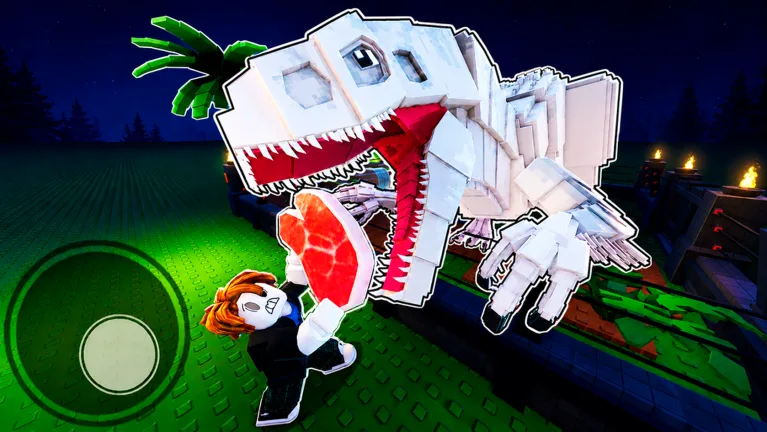
Gameplay showing Store eggs, hatching pens, visitor income, and early upgrades in My Dino Park on Roblox.
Systems overview
Gameplay showing Store eggs, hatching pens, visitor income, and early upgrades in My Dino Park on Roblox.
Play My Dino Park on Roblox · Dino Community Discord
My Dino Park! wiki by Dino Community — Roblox only, not the mobile Crazy Dino Park app.
Buy dino eggs from the Store with Cash or code money.
Browse section →Hatched dinosaurs fill pens and attract visitors — stats TBD.
Browse section →Park pens, visitor traffic, and layout capacity.
Browse section →Expansion and decor purchases ranked on the tier list.
Browse section →Welcome to the My Dino Park! wiki for Roblox. My Dino Park Roblox is update 1 live as of July 2026, with Update 2 teased on the game page. This database explains how eggs, hatching, visitors, Cash, and park upgrades connect — the same loop shown on the official Roblox page.
Players search my dino park wiki, my dino park roblox wiki, and dino park roblox because the game has no official Fandom or Trello yet. Community data lives on the Dino Community Discord and fan wikis like this one until Dino Community publishes a formal database.
Every section below maps to a real My Dino Park Roblox mechanic. We exclude mobile-app breeding chains, eight-tier rarity tables from other games, and clone experiences such as Your Dino Park or Build a Dino Park that pollute search results.
New saves should start with the codes page (WELCOME + THX4PLAYING), then the beginner guide. Use the tier list for spending order and wiki search for quick keyword lookup across this database.
| System | Wiki section | Tier | Role |
|---|---|---|---|
| Dino Eggs | Eggs | S | Buy from Store with Cash |
| Hatching | Dinosaurs | S | Eggs become display dinos in pens |
| Visitors | Park & Pens | A | Foot traffic converts to Cash income |
| Cash | Cash | S | Currency for eggs and upgrades |
| Gift Codes | Eggs (bonus) | S | Free starter money via Store redeem |
| Park Upgrades | Upgrades | A | Expand pens and capacity |
Dino eggs are the primary My Dino Park purchase gate. You buy eggs from the in-experience Store (left HUD icon) using Cash, place them in park pens, and wait for a random dinosaur to hatch. The official Roblox tagline leads with Buy Dino Eggs because eggs seed every other system in this wiki.
Egg tiers and exact prices shift with Update 1 patches — always read the live Store tag instead of memorizing numbers from outdated posts. On a new save, fund egg purchases with active codes: WELCOME ($1,000) and THX4PLAYING ($650) stack for $1,650 starter Cash as of July 4, 2026.
Eggs are not dug up or bred through fusion in this Roblox build — those mechanics belong to mobile games with similar names. My Dino Park on Roblox uses a straight buy-and-hatch loop only.
After buying an egg, walk to an open pen slot and place it. The hatch timer runs automatically; when it finishes, a dinosaur appears on display and begins contributing to visitor interest. See the beginner guide hatch section for first-session order.
| Tier | Source | Cost | Notes |
|---|---|---|---|
| S | Gift codes | Free | WELCOME + THX4PLAYING → Cash for eggs |
| S | Store dino eggs | Cash (in-game) | Random dinosaur on hatch |
| A | Higher egg tiers | Cash (in-game) | Buy after baseline pens fill |
Buy from the left Store menu. Each egg hatches into a random dinosaur for your park.
WELCOME ($1,000) and THX4PLAYING ($650) fund early egg purchases via Store redeem.
Unlock after baseline pens fill. Prices read live from Store — not preset here.
Hatched dinosaurs are the income engine of My Dino Park!. Each egg resolves into a display dinosaur placed in a pen. Visible dinosaurs attract visitors, and visitors spend Cash that funds your next egg or upgrade purchase.
Update 1 added new dinosaur species, but public income spreadsheets are still incomplete. Until we verify per-species Cash rates in-game, treat any hatched dinosaur as valuable if it fills a pen and raises visitor traffic — do not trust mobile-game tier charts or clone wiki tables.
My Dino Park Roblox lets you sell dinosaurs to free pen slots when you need space for better hatch results. Sell selectively when pens cap out, not after every common pull. Selling is a space-management tool, not the main income loop.
Rarity labels may appear on hatched creatures in Update 1, but we do not preset an eight-tier ladder like mobile guides claim. Record what you see in your own park HUD and watch the Dino Community Discord for community stat screenshots after Update 2.
Pair this section with the money guide for reinvest timing and the tier list systems table for hatching priority ranks.
| Action | When to use | Tier |
|---|---|---|
| Hatch egg in pen | Every new egg purchase | S |
| Keep dinosaur on display | Default — drives visitors | S |
| Sell dinosaur | Pen full, need slot for better hatch | B |
| Wait for stat table | Per-species income TBD | — |
Placed in pens after egg hatch. Attracts visitors and generates Cash income.
Keep pens full — empty slots earn nothing. Sell only when you need space.
Sell from pen to free a slot for a better hatch. Not a primary income strategy.
Park pens and visitor paths translate hatched dinosaurs into Cash. The official My Dino Park description highlights Attract Visitors as a core goal — foot traffic is not cosmetic; it feeds the tycoon economy that buys your next egg.
Early layouts should maximize income density: filled pens with visible dinosaurs beat sprawling empty terrain decorated with paths alone. Expand land and add pen slots when existing enclosures stay full and Cash flow supports the next purchase.
Visitor areas, fences, and walkways may appear in the Store as upgrades or decor. Functional expansions that add pen capacity rank A-tier on the spending tier list; pure cosmetics rank B-tier until baseline income is stable.
Dino Community servers hold up to six players, but park progress is personal — your pens, dinosaurs, and Cash stay on your save. Compare layouts on Discord for inspiration; verify every mechanic here against your own My Dino Park Roblox client.
| Element | Purpose | Priority |
|---|---|---|
| Pens / enclosures | Hold eggs and hatched dinosaurs | S |
| Visitor paths | Route foot traffic past displays | A |
| Land expansion | More pen slots | A |
| Decorative props | Visual theme only | B |
Attract visitors to earn Cash — a core goal on the official game page.
Spend Cash to upgrade pens, paths, and park size as you progress.
Upgrade Your Park is the mid-game half of the My Dino Park wiki. Store listings include pen expansions, park size upgrades, and facility improvements that raise how many dinosaurs you can display — and therefore how much visitor income you can earn.
Buy upgrades that increase capacity or income before items that only change appearance. A new pen slot lets you hatch another egg immediately; a themed fence may look better but does not add a dinosaur income node on its own.
Update 1 introduced additional park tools and dinosaurs. Exact upgrade names and prices should be read live from the Store — we document categories here and rank them on the tier list, not frozen numbers that patches can change overnight.
Long-term, Be the #1 Dino Park means competing on wealth and collection breadth against other Roblox players in the same experience. Leaderboard details may expand in Update 2; for now, total Cash and active pen count are practical scoreboards.
| Tier | Upgrade type | Buy when |
|---|---|---|
| S | First eggs + hatches | Immediately after codes |
| A | Pen / park expansion | Pens stay full, Cash is rising |
| A | Visitor capacity boosts | Mid early-game |
| B | Decorations & themes | Income stable, extras only |
More pens and visitor capacity — buy when existing pens stay full.
Adds slots for more hatched dinosaurs and visitor income nodes.
Cosmetic paths and props — lower priority than eggs on new saves.
Cash accumulates while away. Collect on return and reinvest into eggs.
Cash is the only primary currency tracked in this My Dino Park wiki. You earn Cash from visitors viewing hatched dinosaurs, from gift codes, and from offline earnings when you are away from the game — then spend Cash on eggs, park upgrades, and expansions.
Some third-party posts say "coins" — on the Roblox experience UI, treat Cash as the standard term unless the Store label shows otherwise. All codes grant Cash directly, not individual dinosaurs.
Offline earnings let pens continue generating income while logged out. Collect when you return, then reinvest using the money guide checklist before spending on cosmetic paths.
Cash flow priority on every new save: redeem codes → buy eggs → hatch → expand pens → decor last. That order matches the spending tier list and keeps My Dino Park Roblox progression efficient without Robux purchases.
| Source | Type | Tier |
|---|---|---|
| WELCOME / THX4PLAYING | Gift codes | S |
| Visitor tips | Passive income | S |
| Offline earnings | Away-time Cash | A |
| Selling dinosaurs | One-time refund | B |
Earn: Visitors, codes, offline earnings. Spend: Eggs, park upgrades, expansions.
Earn: WELCOME + THX4PLAYING. Spend: Starter eggs before visitor grind.
Common My Dino Park wiki questions on Roblox. For step-by-step first sessions, read the beginner guide.
No. This My Dino Park wiki covers the Roblox game by Dino Community only. Mobile apps with similar names use different mechanics and codes.
Per-species income tables are marked TBD until verified in-game after Update 1. Full pens and visitor Cash matter more on day one.
Buy dino eggs from the Store with Cash, funded by codes and visitor income. See the Eggs section above.
Not in this Roblox build. Buy eggs, hatch, display — no mobile-style fusion chains in verified My Dino Park mechanics.
Eggs, park upgrades, and expansions. Codes grant Cash directly — see the codes page.
No. We exclude Collect Dinos, Your Dino Park, and mobile Crazy Dino Park data. Only Dino Community place 80701570784699.
After Update 1 stats are confirmed in-game and on Discord. Update 2 may add more species — we expand rows then.
Matched by build plan, shared topics, and guide progression — not random related links.
Look up eggs, visitors, and park systems while playing.
Fits your reference plan — Wiki Search covers the next slot
First egg, Store purchases, hatching, and early visitor income on Roblox.
Beginner guide walks through the eggs and hatch rows you just browsed
Spending, code value, and systems S/A/B rankings for early saves.
Database entries map to S/A spending rows on the tier list